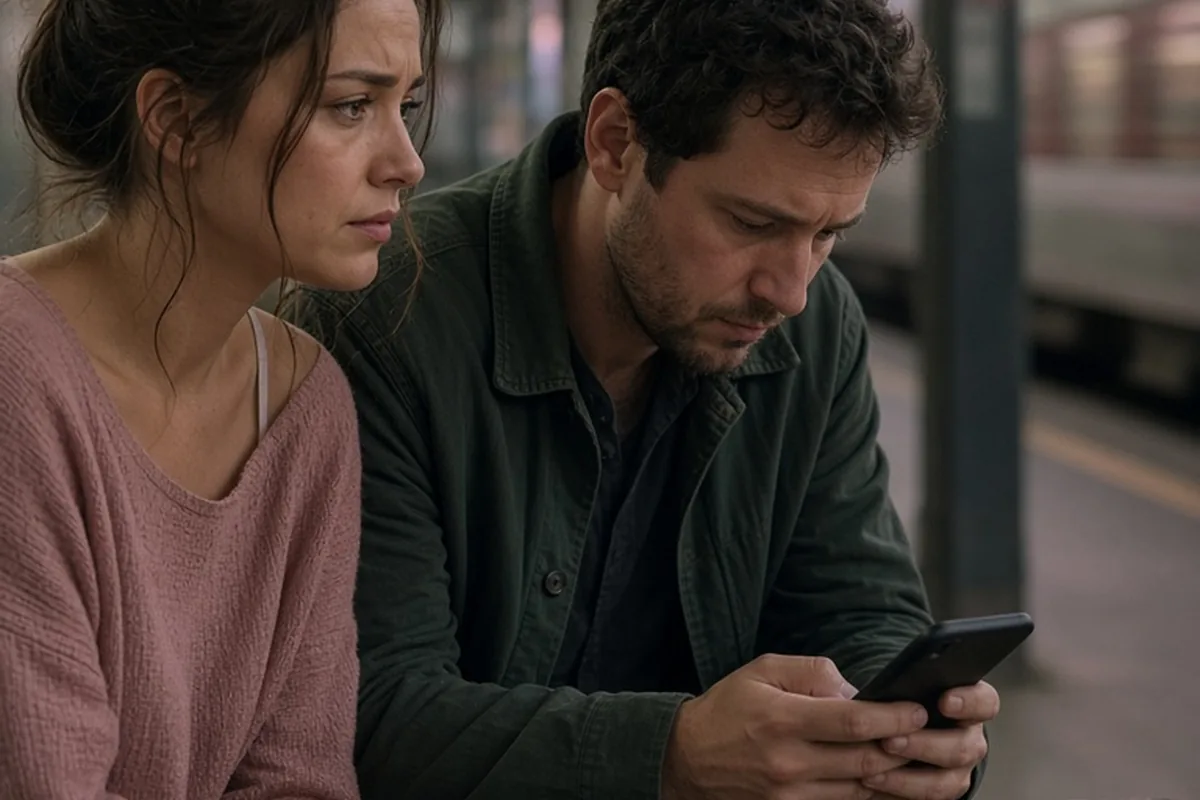
Cheating apps for iPhone include disguised vault apps that mimic calculators or utilities, encrypted messengers with auto-deleting chats like Telegram or Signal, niche hookup platforms, and built-in iOS features like the Hidden Album, App Library, and offloaded apps. People use these tools to obscure message trails, media, and location logs from partners who might share or view their devices.
Suspecting that a partner is hiding something on their phone can trigger intense anxiety, prompting many people to search for the specific digital tools that facilitate covert interactions. Understanding how these applications operate provides clarity on modern digital privacy, helping you distinguish between standard device security and deliberate concealment.
Disguised Vaults and Decoy Calculator Apps
Decoy apps, often referred to as vault apps, are specifically designed to look like harmless, mundane utilities on an iPhone home screen while concealing password-protected storage underneath. The most common variation is a functional calculator app that only reveals hidden folders of photos, videos, contacts, or browser histories when a specific passcode is entered into the numeric keypad. To an outside observer glancing at the screen, the application appears to calculate basic arithmetic without raising any suspicion.
Beyond calculator disguises, some vault tools pose as harmless utilities such as audio managers, note-taking pads, or digital clocks. When opened normally, they present a dummy interface that functions exactly like the utility it claims to be, sometimes even containing innocuous decoy notes or audio files in case someone demands to see the app opened. Entering an alternate PIN or pressing a specific button combination unlocks the genuine vault, granting access to private media, hidden contact lists, and unindexed web browsers that leave no footprint in standard Safari history.
While these apps provide total visual concealment on the home screen, they still require storage and system resources. A user might notice unexpected storage consumption under iPhone Settings or see unfamiliar developer names in the Apple ID purchase history. However, discovering a vault app is not definitive proof of an affair on its own, as some individuals use these tools to store confidential work documents, sensitive financial records, or personal journals away from friends and family.
Encrypted Messaging Apps with Self-Destructing Chats
Mainstream encrypted messaging platforms are among the most frequently utilized tools for secret communication because they do not look out of place on a smartphone. Applications like Telegram, Signal, WhatsApp, and Viber provide robust end-to-end encryption alongside granular privacy settings. Telegram, for instance, offers a Secret Chat feature that enforces end-to-end encryption, prevents message forwarding, blocks screenshots on certain devices, and includes a customizable self-destruct timer that permanently erases text and media from both devices after a set period.
Similarly, Signal and WhatsApp allow users to enable disappearing messages across entire threads, automatically purging conversations after hours or days. Viber provides hidden chats that can only be accessed by entering a four-digit PIN directly into the search bar, effectively making the conversation invisible in the main chat feed. These features mean that even if someone physically handles an unlocked phone, the active conversations may be completely undetectable unless they know the specific access codes.
The trade-off for someone using these apps secretly is managing notifications. To maintain secrecy, users often disable message previews, turn off lock screen banners, or mute notifications entirely for specific contacts. If a partner suddenly switches their messaging notifications from detailed previews to generic alerts, or if their phone remains permanently on silent and face-down, it often points to a desire to keep incoming digital contact out of view.
Dating and Hookup Platforms with Discreet Interfaces
Mainstream and specialized dating platforms frequently introduce privacy-oriented features catering to users seeking discretion. Apps like Tinder and Bumble offer travel modes or incognito settings that only reveal a user profile to individuals they have actively liked, preventing their profile from appearing in the general location-based swipe deck where mutual acquaintances might see it. Specialized platforms like Ashley Madison or Pure go further, focusing specifically on anonymous hookups and extramarital relationships with built-in photo blurring, self-deleting chats, and discreet billing descriptors.
Rather than keeping an active dating app icon visible on the home screen, discreet users frequently access these services via mobile web browsers in private browsing mode. Safari and third-party browsers like Brave allow users to navigate to dating sites, log in, communicate, and close the session without saving cookies, passwords, or browsing logs. Some users also install Progressive Web Apps (PWAs), which pin a website to the home screen under a custom name and icon, masquerading as a news feed or productivity tool.
Detecting these platforms through casual observation is difficult because web-based activity leaves minimal evidence on the device. However, frequent clearing of Safari website data, unexplained recurring micro-transactions on credit card statements, or sudden surges in mobile data usage during times of supposed inactivity can indicate ongoing interaction with web-based matchmaking services.
Native iOS Features Used for Concealment
Apple has progressively introduced powerful privacy and organizational features to iOS that, while intended for personal security and digital wellbeing, can also be repurposed for secrecy. The iOS App Library allows users to remove app icons entirely from the home screen while keeping the software fully installed and functional. An app can sit quietly in the App Library search index, receive silent notifications, and remain entirely out of view during casual device use.
Another built-in tool is the Hidden Album within the native Photos app, which is locked behind Face ID or Touch ID by default. While this feature is designed to keep sensitive documents, medical photos, or private personal pictures safe from casual onlookers, it can also store unindexed media received through secret channels. Furthermore, iOS Focus Modes allow users to set up custom home screens that dynamically hide specific pages of apps depending on the time of day, location, or active profile, effectively presenting one set of apps at home and another at work.
Additionally, the Screen Time and App Limits settings can be manipulated. A person might offload an app—temporarily deleting the app binary while preserving its data and settings—and reinstall it only when needed, avoiding continuous presence on the device. Understanding these native tools highlights that secret activity does not always require specialized third-party spyware or obscure vault software; standard iPhone functionality offers extensive privacy controls.
Technical Indicators and Where Activity Leaves Traces
Even when an individual takes extensive precautions to hide apps and communications, iOS system diagnostics and account records retain subtle technical traces. One of the most reliable places to inspect app history is the Apple ID App Store account. Navigating to the App Store, tapping the profile icon, and selecting Purchased reveals every application downloaded on that Apple ID across all connected devices, including apps that have been uninstalled or hidden from the home screen, unless they have been explicitly hidden within the App Store settings.
Another informative area is the Battery settings menu under iOS Settings. The battery breakdown lists every app that has consumed power over the past 24 hours or past 10 days, along with the percentage of battery used and on-screen versus background activity. If a disguised calculator app, a secondary web browser, or an obscure utility accounts for significant active screen time or background energy consumption, it indicates that the app is being used far more extensively than its nominal function warrants.
Data usage logs within the Cellular settings menu provide another layer of information. This menu records the exact amount of cellular data transferred by each individual app since the statistics were last reset. If an app that supposedly stores offline notes or performs basic math shows hundreds of megabytes or gigabytes of transferred cellular data, it is actively communicating over the internet. Keep in mind that interpreting these logs requires care, as background system updates and legitimate cloud syncing can sometimes skew data metrics.
The Risks and Limits of Investigating a Partner's Phone
When suspicion arises in a relationship, the impulse to secretly search a partner's phone, install monitoring software, or conduct detailed forensic audits can feel overwhelming. However, surreptitious phone monitoring carries significant personal and legal risks. In many jurisdictions, accessing someone else's password-protected device, reading private communications without consent, or installing tracking software can violate federal and state privacy statutes, such as the Computer Fraud and Abuse Act or wiretapping laws.
Beyond legal exposure, snooping fundamentally changes the dynamics of the relationship. Engaging in secretive device checks often leads to an obsessive cycle where no amount of clean search results provides genuine reassurance. If you check their phone and find nothing, you may wonder if they simply deleted the evidence or used a better vault app, deepening your hypervigilance and anxiety rather than resolving the core issue.
Furthermore, if you discover ambiguous information—such as an unfamiliar app used for legitimate work communication or an innocent conversation misinterpreted out of context—confronting your partner with improperly obtained evidence often shifts the focus of the conflict from their actions to your breach of trust. A healthy resolution requires addressing the emotional distance and behavioral shifts directly rather than relying on unauthorized digital surveillance.
Transitioning from Digital Investigation to Direct Communication
Recognizing the signs of hidden apps is often less about cataloging software and more about identifying a breakdown in transparency and emotional connection. When digital secrecy begins affecting your peace of mind, the most constructive path forward is having a structured, grounded conversation about your boundaries and observations. Shifting the focus from technical accusations to emotional reality allows both partners to address the underlying relationship climate.
To approach this conversation effectively, focus on specific, observable behaviors rather than technical theories. Instead of stating that you believe they are using a secret calculator app, explain how their guardedness with their phone, sudden schedule changes, or emotional withdrawal makes you feel disconnected and uneasy. State clearly what you need in terms of openness and mutual transparency to feel secure in the partnership.
If the conversation reveals dishonesty or if your partner refuses to engage constructively, you are faced with a choice about your personal boundaries rather than a need for more evidence. Deciding how to proceed—whether through couples counseling, individual therapy, or ending the relationship—depends on whether both individuals are committed to honesty, mutual respect, and rebuilding trust.
Frequently asked questions
Can you see hidden apps on an iPhone without unlocking it?
No, you cannot view hidden apps, private App Library folders, or password-protected vaults without unlocking the device. iOS security restricts app visibility and notification details when the device is locked.
How do disguised calculator apps work on iOS?
These apps appear and function like standard calculators on the screen, but entering a preset passcode into the keypad unlocks a secret storage vault. Inside, users can store private photos, videos, contacts, and web browsing sessions.
Does deleting an app remove all traces of it from an iPhone?
Deleting an app removes its local data from the home screen and storage, but a record of the download remains in the user's Apple ID purchase history. It may also leave traces in iCloud backup logs unless manually cleared.
Is it legal to install monitoring software on a partner's phone?
Installing spyware or tracking tools on an adult partner's personal phone without their explicit knowledge and consent is generally illegal and violates digital privacy laws. It can also cause severe emotional damage to the relationship.
Your next step
Take a step back from digital sleuthing and initiate an honest, boundary-focused conversation with your partner about transparency and the behaviors causing you concern.